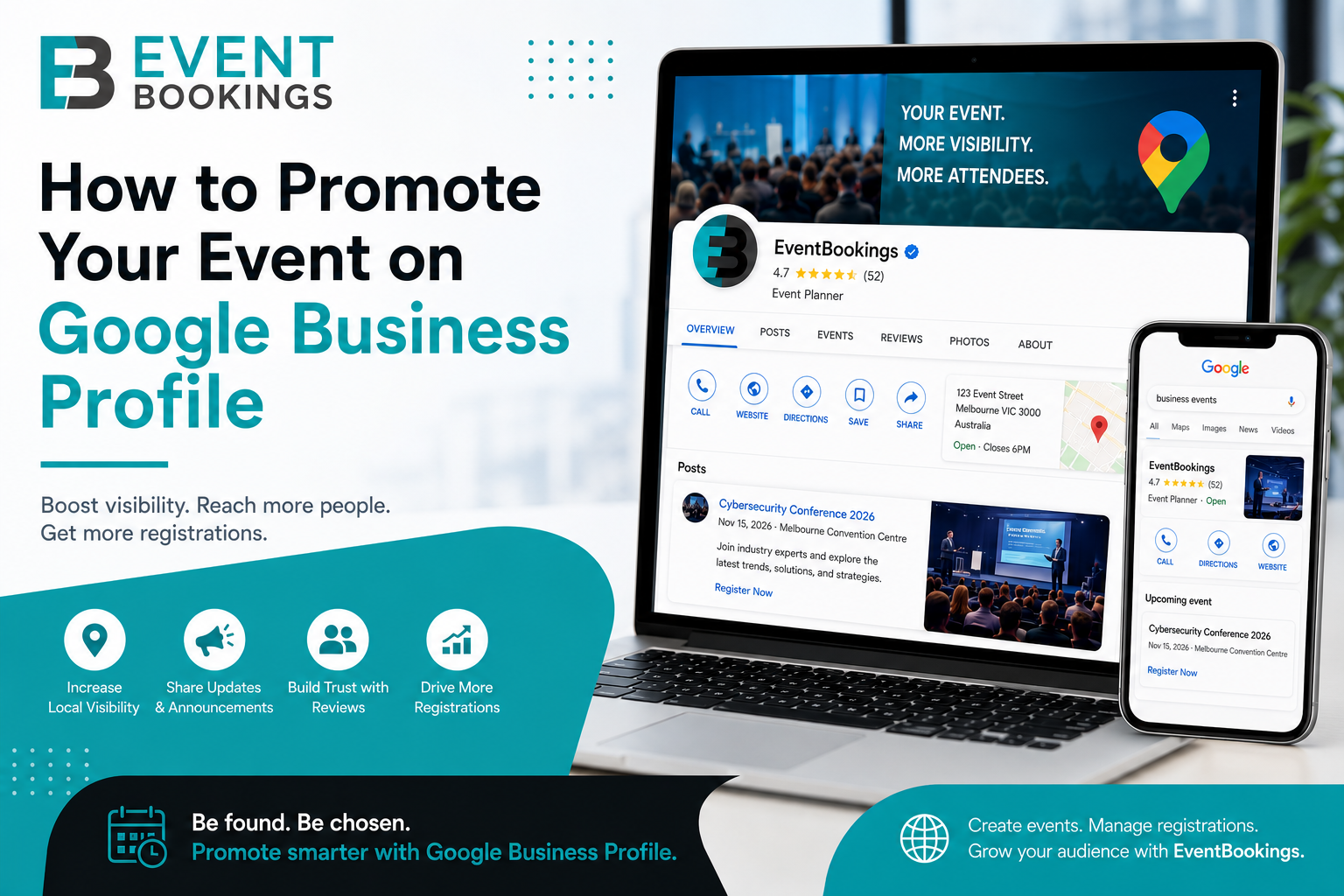
When planning an event, one of the biggest challenges is getting it in front of the right audience. While social media and email marketing are important promotional channels, many event organizers overlook one of the most powerful free marketing tools available: Google Business Profile (formerly Google My Business).
GBP helps your business show up in Google Search and Maps when people look for local events, venues, or activities. Using it well can boost your event’s visibility and bring in more registrations.
In this guide, we’ll explain how to use Google Business Profile to promote your event and maximize attendance.
What Is Google Business Profile?
Google Business Profile (GBP) is a free platform that authorizes businesses and organizations to manage how they appear on Google Search and Google Maps.
A complete profile can display:
- Business name
- Address and location
- Website link
- Phone number
- Business hours
- Photos and videos
- Reviews and ratings
- Updates and announcements
- Upcoming events
For those organizing events, Google Business Profile works as a valuable local marketing channel that helps people discover your events while searching online.
Why Use Google Business Profile for Event Promotion?
1. Reach People Actively Searching for Events
On social media, people often just scroll through posts. On Google, users are actively looking for information.
Potential attendees may search for:
- Business networking events near me
- Music festivals in Melbourne
- Charity fundraising events
- Professional development workshops
- Food and wine festivals
- Local community events
An optimized Google Business Profile makes it more likely your event will show up in the right search results.
2. Improve Local SEO
Google prioritizes businesses and venues with accurate and complete profiles.
When your business profile contains updated event information, photos, posts, and reviews, it helps improve your local search rankings and visibility on Google Maps.
3. Increase Website Traffic and Registrations
Google Business Profile allows you to add links directly to your event registration page.
This means users can discover your event on Google and register immediately without needing to search elsewhere.
4. Build Trust Through Reviews
Good reviews build trust and make people more likely to attend your events.
People often compare venues, organizers, and event providers before booking. Strong reviews can help them choose your event.
Step 1: Claim and Verify Your Google Business Profile
Make sure your profile is fully verified before you start promoting events.
To get started:
- Visit Google Business Profile.
- Search for your business name.
- Claim your listing if it already exists.
- Create a new profile if necessary.
- Complete Google’s verification process.
Verification helps ensure your business appears faithfully across Google Search and Maps.
Step 2: Complete Every Section of Your Profile
An incomplete profile may limit your visibility.
Ensure the following information is accurate:
Business Name
Use your official business or organization name.
Refrain from adding promotional keywords such as:
- Best Event Venue Victoria
- Top Event Organiser
Google may flag profiles that use keyword stuffing.
Business Category
Choose the most relevant category.
Examples include:
- Event Venue
- Conference Center
- Wedding Venue
- Nonprofit Organization
- Festival
- Community Center
The correct category helps Google understand your business and display it in relevant searches.
Contact Information
Include:
- Website URL
- Phone number
- Physical address (if applicable)
Ensure this information matches your website and other online listings.
Business Description
Use your business description to explain:
- What type of events you host
- Your target audience
- Key services offered
- Unique selling points (USP)
For example:
“We organize professional networking events, conferences, and industry workshops across Australia, helping businesses connect, learn, and grow.”
Step 3: Create Google Posts for Your Events
One of the most effective ways to promote events through Google Business Profile is by publishing Google Posts.
Google Posts appear directly within your business listing and can include:
- Event announcements
- Registration links
- Promotional offers
- Event reminders
- Speaker announcements
- Venue updates
Best Practices for Event Posts
Include:
- Event title
- Date and time
- Event location
- Major highlights
- Registration link
- Strong call-to-action
Example:
Join Cybersecurity – Explore the Latest Trends and Solutions
Learn from leading industry experts, network with professionals, and discover the latest trends and solutions in cybersecurity.
📅 Date: November 15, 2026
📍 Location: Melbourne Convention & Exhibition Centre
🎟 Register Now
Regular posting signals activity to Google and helps keep your profile fresh.
Step 4: Add High-Quality Event Photos and Videos
Visual content attracts attention and improves engagement.
Upload:
- Previous event photos
- Venue images
- Speaker photos
- Attendee networking shots
- Behind-the-scenes content
- Promotional videos
According to Google, businesses with photos generally receive more requests for directions and website visits than those without images.
Photo Tips
Use:
- High-resolution images
- Professional photography
- Real attendee experiences
- Consistent branding
Avoid:
- Stock photos
- Blurry images
- Excessive promotional graphics
Authenticity performs better.
Step 5: Link Directly to Your Event Registration Page
Every Google Post and profile update should include a direct registration link.
Rather than sending visitors to your homepage, direct them to the specific event registration page.
If you’re using an event registration platform such as EventBookings, link attendees directly to the event page where they can learn more and register immediately.
Reducing friction increases conversion rates.
Step 6: Encourage Attendee Reviews
Reviews influence both visibility and trust.
After your event:
- Send follow-up emails
- Thank attendees
- Request honest feedback
- Include a direct review link
Positive reviews can improve local rankings and encourage future registrations.
Ask Specific Questions
Instead of simply asking for a review, consider:
- What did you enjoy most?
- How was the event experience?
- Would you attend again?
Detailed reviews often carry greater value for future attendees.
Step 7: Keep Event Information Updated
Nothing damages trust faster than outdated event information.
Regularly review:
- Event dates
- Venue details
- Registration links
- Contact information
- Business hours
If an event sells out, update your listing accordingly.
Accurate information improves user experience and helps maintain credibility.
Step 8: Use Keywords Naturally
Google Business Profile contributes to local SEO.
In your posts and descriptions, naturally include relevant keywords such as:
- Cybersecurity Event Melbourne
- Cyber Security Conference Melbourne
- Cyber Threat Protection Melbourne
- Australia Cybersecurity Training
- Melbourne Data Security and Privacy Event
Focus on helping users rather than keyword stuffing.
Step 9: Monitor Performance with Google Insights
Google Business Profile gives you analytics to see how people interact with your listing.
Track:
- Search views
- Map views
- Website clicks
- Phone calls
- Direction requests
- Photo engagement
These insights help you see which events and promotions work best.
Bonus Tip: Combine Google Business Profile with EventBookings
Google Business Profile helps people find your event, while EventBookings helps turn visitors into attendees.
A powerful strategy is to:
- Create your event on EventBookings.
- Publish Google Posts promoting the event.
- Link directly to your EventBookings registration page.
- Track registrations and attendee engagement.
- Collect reviews after the event.
This creates a seamless journey from discovery to registration.
Final Thoughts
Google Business Profile is still one of the most overlooked event marketing tools for organizers. It’s a free way to boost your local visibility, reach people searching for events, and get more registrations through Google Search and Maps. By maintaining a complete profile, publishing regular event updates, sharing high-quality visuals, and directing users to your registration page, you can significantly enhance your event marketing efforts.
If you’re looking to streamline registrations, ticketing, attendee management, and event promotion, EventBookings provides everything you need to create successful events from start to finish.