Top 9 Best Event Ticketing Software Systems in 2026
30 May.23 mins read
When it comes to arranging successful events, selecting the appropriate ticketing platform may make all the difference. However, the quest for the appropriate platform frequently involves more than just capability. We are talking about money. It is normal practice in the event industry to collect revenue-based fees for each ticket sold, but is this truly cost-effective for event organizers?
Fortunately, there are several economical ticketing solutions that offer a smooth event experience on a tight budget. This article includes a thorough overview of the top 9 ticketing systems that charge some of the lowest prices in the business.
Continue reading to learn how to increase your event income, provide a hassle-free ticketing experience, and avoid excessive platform expenses.
A ticketing software is a management tool that helps event planners to create and sell tickets. It offers a centralized platform for both organizers and customers. An engaging customer support system and resolving issues on ticketing are the best advantages you can enjoy with these platforms. The top ticketing platforms offer features like automated ticket assignment, priority setting, real-time update sharing and integration with other tools. These features vary from platform to platform. Research shows that 89% of companies that use event technology save about 200 hours annually. That is why event ticketing platforms are getting popular day by day. To find the best online ticket-selling site, you need to compare the ticketing systems first.
How to Compare Event Ticketing Software?
Ticketing Features
Features are the main factors you should look deep inside when selecting the ticketing company for your event. Multiple ticketing and customized registration are the most crucial features you should check before finalize your choice.
Extra Tools or Integration
Integration with other tools like CRM, payment processors, marketing platforms, analytical tools, social media can make or break the success of your event. These tools add functionality to a ticketing system and boosts engagement.
Reputation
You should check on real customer reviews, software review sites rating and user ratings on app store to see the real picture of what you will get from the ticketing platform you chose. Taking time to evaluate ticketing platform reputation can help you ensure that you’re working with a reliable platform.
Pricing
Compere the offer price for each tickets and monthly subscription fees of the platforms. Also look for if there is any hidden charge you need to pay for the platform.
Payout
You should be concerned about how quickly you can access the event revenue. Some platforms offer instant payout, while others offer to wait until the event ends.
Marketing insight
Insights like demographic data, customer engagement, sales pattern, will allow you to take a data driven approach.
Which Online Event Ticketing Platform Should You Choose?
Choosing the best ticketing system for your upcoming event requires taking into account a number of crucial aspects. Identify your non-negotiables first in order to make a shortlist.
Event Size and Scope
Make sure the ticketing software can manage the complexity of a huge event with several sessions and different prices.
Features
Explore what features are offered. Can the branding be altered? Is it possible to scan QR codes for contactless check-in and obtain electronic tickets through the system? Finding software that suits your needs will be made easier if you take these factors into account.
Cost
Analyze each ticketing system’s pricing structure. While some demand a monthly or annual fee, others charge on a per-ticket basis. To determine which ticketing site has the lowest price, compare expenses with the anticipated number of participants.
Top 9 Best Event Ticketing Software
It can take a lot of time to test every event ticketing system and find the best online ticket sales platform, therefore we’ve done it for you. Here is a comparison of some of the top event ticketing software’s features and costs. These platforms have the ability to improve your ticketing experience and raise the standard for your events.
EventBookings
EventBookings is a complete online event ticketing platform developed to make event administration easier for planners. EventBookings allows organizers to simply establish and manage events, sell tickets, and collect money online. Attendees may easily explore events and buy tickets straight from the EventBookings website.
Features
Intuitive platform
Secure and safe payments
Powerful yet user-friendly features
Dedicated customer support
Built-In video conferencing
Embedded email marketing
Privacy guaranteed
Streamline check-ins with mobile ticket scanning
Customize your event page
Sell session tickets with ease
RSVP management
Tracking and analytics
All-in-one online event conferencing
Pros
✅ User-Friendly Interface
✅ Wide Range of Features
✅ Global Reach
✅ Secure Payment Processing
✅ Community and Networking
Cons
❎Log in screen glitchy – doesn’t always log in and comes up with an error, have to jump through a few screens to get to your management of events.
❎There is limited option to edit the receipts user receive upon purchasing tickets which can be an issue to issue formal tax receipts.
Eventbrite provides online registration and ticketing services suited to the needs of small and medium-sized event organizers in various industries. The organisation has created various features, with a focus on controlling attendance.
Features
Eventbrite’s ticketing features
Real-time reporting and analytics enable data-driven decisions.
Basic email editing capabilities with little customization.
Limited built-in social sharing options, mostly Facebook and LinkedIn.
There are surprisingly few integrations with other tools and applications.
Custom payment schedules for organizers.
Powerful features include numerous ticket kinds, customizable event sites, ticket transfers, and custom URLs.
Event administration tools include the organizer app, attendee check-in, waitlists, and team permissions.
Pros:
✅ You can generate all kind of event tickets
✅ You can sale those event tickets with QR codes.
✅ integrates smoothly with ticketing and virtual events offerings.
✅ The Eventbrite app enables instant ticket sales to walk-in attendees.
✅ Users can make adjustments to a sale or refund tickets as required.
Cons:
❎ Variable customer support
❎ Suggestions for faster support response times
❎ Limited branding options
Pricing
Organizers can hold an unlimited number of events for free. This option is only accessible if they distribute fewer than 25 tickets and send no more than 250 marketing emails every day. Organizers of larger events with up to 100 tickets can choose for a pay-as-you-go option.
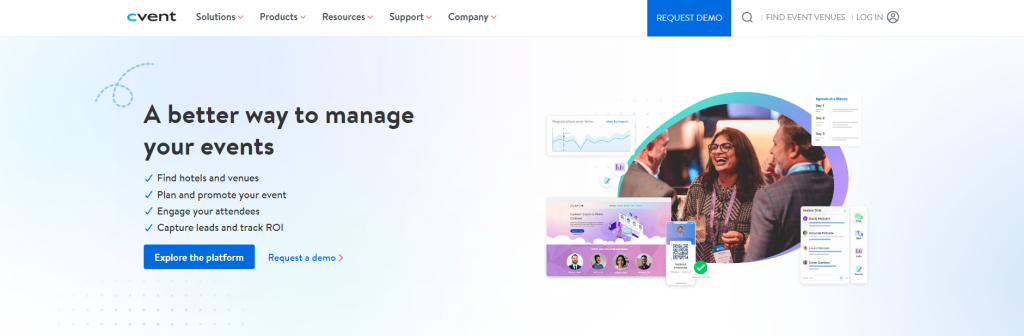
Cvent
Image source: cvent.com
Cvent is a comprehensive event management software with features such as event registration, ticketing, and attendance management. Cvent Event Ticketing Platform The platform excels at providing customizable choices and extensive reporting on tickets and registration data. However, customers have reported complexity in the platform’s learning curve, and its event ticketing system requires third-party data to work properly, which may be difficult.
Features
Capture event registrations with engaging online experiences.
Create personalized app experiences to connect with your audience.
Easily check in guests and print badges on-demand.
Create interactive webinars using a robust, adaptable platform.
Create interesting in-person, virtual, and hybrid events.
Capture and integrate critical information with ease.
Easily handle the speaker call process and work with your speakers on event logistics.
Streamline logistics and communications, eliminate back-and-forth coordination, and maximize exhibitor returns.
Pros
✅ Extensive and Customizable Reporting
✅ User-Friendly Design Options
✅ All-in-One Event Management
Cons
❎ Confusing and Clunky User Interface
❎ Challenges with Customization Options
❎ Difficulty Importing Information
Pricing
There two components in cvent pricing options. They are annual licence fee and per registration fee.
Ticketleap
Image source: ticketleap.com
TicketLeap is a low-cost online ticketing software that offers a wide range of capabilities while being user-friendly. Within minutes, you can create an event, design your event page, market it, admit participants using integrated scanning tools, and collect your revenue — a process that is readily replicable for many events.
The platform has a variety of tools designed to help you succeed at every step. One standout feature is its ability to password-protect events, which is great for membership clubs, VIP groups, and private meetings. TicketLeap also has a “pay as you wish” capability, which allows spectators to give any amount they see appropriate, a tool that is commonly utilized by musicians to promote charity organisations.
Features
Create your own event page with templates and customizable settings.
Create and customize event page themes with logos, taglines, and background pictures.
Showcase all forthcoming events on an event calendar page, which serves as your event’s homepage.
Easily expand your event as it expands.
Provide several payment alternatives, such as credit cards, PayPal, and secure payments.
Create interactive seating charts, pricing maps, and clone charts for upcoming events.
Mobile-responsive event pages provide a consistent experience across mobile, desktop, and tablet devices.
Pros
✅ Easy to use with a short learning curve
✅ You can request assistance to grow your event
✅ Integrated mobile event pages for quicker access
Cons
❎ more-priced tickets may incur more fees
Pricing
Pricing is transparent, with a 2% + $1 cost for paid events, with the opportunity to pass fees onto buyers.
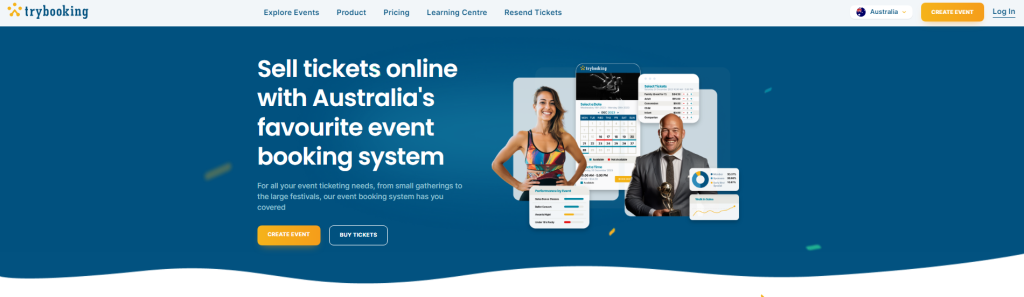
Trybooking
Image source: trybooking.com
TryBooking is an online event ticketing and registration platform designed to simplify the event management process for organizers. It caters to a variety of users, including schools, community groups, businesses, and non-profits, helping them manage events ranging from small meetings to large-scale conferences. The platform offers a suite of features that streamline the creation, promotion, and execution of events.
TryBooking also excels in registration management, providing tools to track attendee registrations and manage guest lists. Customizable registration forms help collect necessary information from attendees. The platform includes robust reporting and analytics to monitor sales performance and attendee demographics, aiding in better event planning.
For events requiring assigned seating, TryBooking offers interactive seat maps and seating management tools. Additionally, it supports custom branding, enabling organizers to align event pages with their brand identity. Integration capabilities and API access allow for advanced customization and seamless operation with other systems. Overall, TryBooking provides a comprehensive solution to manage and execute successful events efficiently.
Features
customizable event pages where organizers can detail event specifics like dates, times, venues, and ticket pricing.
It supports diverse ticket options, such as early bird and VIP tickets, and allows the creation of discount codes for promotional purposes.
Secure payment processing is a significant feature, offering multiple payment methods and automated receipts.
Pros
✅ User-Friendly Interface
✅ Customizable Event Pages
✅ Variety of Ticket Options
✅ Secure Payment Processing
✅ Robust Reporting and Analytics
✅ Seating Management
Cons
❎ Transaction fees can add up for large events or high-ticket prices.
❎ Free features are somewhat limited, making it less ideal for very small or non-revenue-generating events.
❎ Some advanced features may require a learning curve for new users.
Pricing
TryBooking offers a transparent and straightforward pricing model. No fees are charged for free events, making it cost-effective for community groups and non-profits running free events. For paid events, TryBooking charges a fee per ticket sold. As of the last update, the standard fee is 2.5% of the ticket price plus a small processing fee per ticket (e.g., $0.50 per ticket).
TicketSource
Image source: ticketsource.co.uk
TicketSource is a comprehensive online ticketing platform designed to help event organizers manage ticket sales, registrations, and attendee management for various types of events. It caters to a wide range of events, from small community gatherings to large theatre productions and concerts. The platform aims to simplify the ticketing process while providing powerful tools for event promotion and management.
Features
Secure payment processing via credit card, debit card, PayPal, and other methods.
Automated email confirmations and receipts for attendees.
Interactive seating plans for reserved seating events.
General admission ticketing for events without assigned seats.
Integrated email marketing and social media sharing tools.
Options to create and manage event promotions and discounts.
Detailed sales and financial reports.
Attendee data and demographic insights.
Pros
✅ Reliable and secure options for processing payments.
✅ Supports mobile-optimized ticket purchasing and delivery, enhancing attendee convenience.
✅ No fees for free events, making it ideal for non-profits and community groups.
✅ Provides in-depth reports and analytics for better event management
Cons
❎ Some advanced functionalities may require time to learn and utilize effectively.
❎ Primarily focused on certain regions, which may affect usability and support in other areas.
Pricing
No fees for free events, making it a cost-effective option for community groups and non-profits. For paid events, TicketSource charges a fee per ticket sold. As of the last update, the standard fee is 7% of the ticket price plus a $0.50 processing fee per ticket. This fee includes payment processing.
RSVPify
RSVPify is an online event management and ticketing platform designed to simplify the process of event planning, guest registration, and ticket sales. It is particularly popular for managing weddings, corporate events, private parties, and non-profit fundraisers. RSVPify offers a range of features to help organizers streamline event logistics, enhance guest experience, and effectively manage attendee information.
Features
Real-time tracking of RSVP responses and guest counts.
Create and sell tickets directly through the platform.
Secure payment processing through major credit cards and other payment methods.
Seating chart management for events with assigned seating.
Detailed reporting on RSVPs, ticket sales, and attendee demographics.
Integrated email marketing tools to send invitations, reminders, and updates.
Integration with other software platforms, including email marketing and CRM tools.
API access for advanced customization and automation.
Pros
✅ Allows for extensive customization to align with your event’s branding.
✅ Reliable and secure options for processing payments.
✅ Built-in email marketing and social media integration for event promotion.
✅ Provides comprehensive reports and analytics to aid in event planning and execution.
✅ Suitable for a wide range of event types, from weddings to corporate events.
Cons
❎ While customizable, some users might find certain design and functionality options restrictive compared to more customizable platforms.
❎ Primarily focused on certain regions, which may limit usability and support in other areas.
Pricing
Personal Events: Starting at around $19 per month.
Professional Events: Starting at around $39 per month, this plan includes advanced RSVP management, more customization options, and additional features like seating chart management.
Enterprise: Starting at around $499 per month (Billed annually), it includes all Premium features plus enhanced support, API access, and advanced integrations.
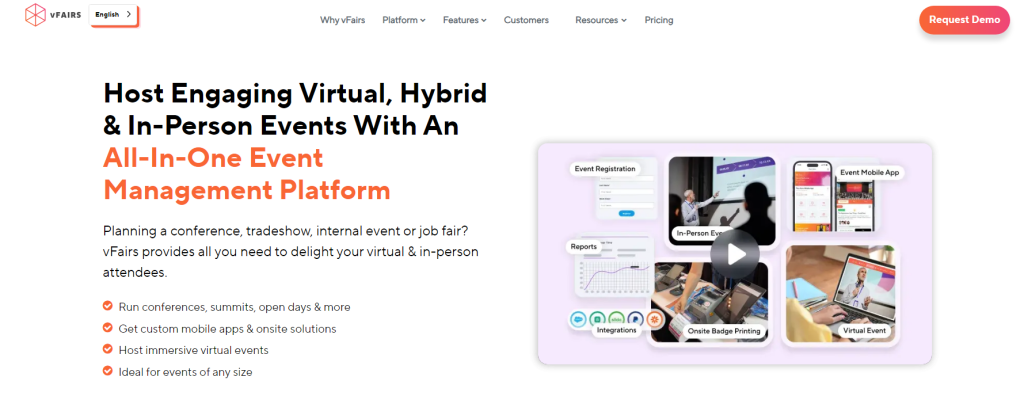
vFairs
Image source: vfairs.com
vFairs is an all-in-one event management software that simplifies registration, marketing, and execution. Vfairs is among the top event ticketing platforms. The event ticketing platform manages event registrations and financial transactions through dynamic and highly customizable registration forms, tiered ticket segments, and seamless connectivity with popular and secure payment processors. It ranks top among the finest event ticketing platforms because it allows you to handle ticketing and registration on one platform, with all data synced in one place.
Features
Detailed event pages with information on schedules, speakers, and sessions.
Interactive booths for exhibitors to showcase their products or services.
Integration with various webinar platforms for live sessions and presentations.
Chat functionality, including one-on-one chats, group discussions, and video meetings.
Gamification elements like leader boards, quizzes, and scavenger hunts to boost attendee engagement.
Detailed analytics on attendee behaviour, engagement metrics, and session attendance.
Support for multiple languages to cater to a global audience.
Integration with CRM systems, marketing automation tools, and other software.
API access for advanced customization and data synchronization.
Pros
✅ Multi-language support enables hosting of international events.
✅ Provides robust reporting and analytics to measure event success and attendee engagement.
✅ Ensures events are accessible on various devices, enhancing attendee convenience.
✅ Seamlessly integrates with other tools and systems, improving event management efficiency.
Cons
❎Can be expensive, particularly for small organisations or events with limited budgets.
❎ The platform’s comprehensive feature set may require a learning curve for new users.
❎ Setting up highly customized virtual environments can be complex and time-consuming.
Pricing
vFairs provides four quote-based packages, including three yearly plans (Basic Annual Licence, Premium Annual Licence, and Enterprise Annual Licence) and five event/product plans. These pricing options apply to events that take place in person, virtually, or both.
Humanitix
Humanitix is an innovative event ticketing platform that channels booking fees into funding educational and health projects for disadvantaged communities. It is designed to handle a wide range of events, from small community gatherings to large conferences, while also contributing to social good. The platform combines robust event management tools with a unique charitable mission, making it a popular choice among socially conscious event organizers.
Features
Event Creation and Management:
Customizable event pages with detailed event information.
Support for various event types, including recurring and multi-day events.
Multiple ticket types (e.g., early bird, VIP, group discounts).
Discount codes and promotional offers.
Secure payment processing through multiple methods, including credit card and PayPal.
Automated receipts and confirmations.
Attendee tracking and management.
Pros
✅ User-Friendly Interface
✅ Comprehensive Features
✅ Custom Branding
✅ Secure Payments
✅ Excellent Customer Support
✅ Positive Public Perception
Cons
❎ Limited Free Features
❎ Geographic Restrictions
❎ Customization Limits
Pricing
Humanitix offers a transparent pricing structure. Free events typically incur no fees, making it ideal for community groups and non-profits. For paid events, Humanitix charges a fee per ticket sold. As of the last update, the fee is typically around 4% + $0.99 per ticket, which includes payment processing.
Wrap up
Choosing the best online ticket selling site is crucial for ensuring any event’s success and smooth operation, whether it’s a small community gathering or a large-scale conference. With the variety of online ticketing software presented above, you are sure to discover the ideal solution for your event and company needs.
Ultimately, the best event ticketing software is the one that aligns with your event’s goals enhances attendee experience, and provides the necessary tools to manage and promote your event effectively. As the landscape of event management continues to evolve, these top online ticketing company remain at the forefront, offering innovative solutions that adapt to the changing demands of organizers and attendees alike.
Remember, the simpler your visitors’ ticket purchase experience, the more likely they are to return to your future events.
We use cookies to give you a better experience and some analytics for us. Some of these cookies are essential for us to run the site but some are optional. Learn more about our cookie policy
We are using website, web application and google analytics cookies to run our whole platform. You may block these cookies from browser settings as a result of that some areas of our platform will get restricted.
Necessary cookies are absolutely essential for the website to function properly. These cookies ensure basic functionalities and security features of the website, anonymously.
Analytical cookies are used to understand how visitors interact with the website. These cookies help provide information on metrics such as the number of visitors, bounce rate, traffic source, etc.
Cookie
Duration
Description
_fbp
3 months
This cookie is set by Facebook to display advertisements when either on Facebook or on a digital platform powered by Facebook advertising, after visiting the website.
_ga
2 years
The _ga cookie, installed by Google Analytics, calculates visitor, session and campaign data and also keeps track of site usage for the site's analytics report. The cookie stores information anonymously and assigns a randomly generated number to recognize unique visitors.
_gat_UA-108351430-1
1 minute
A variation of the _gat cookie set by Google Analytics and Google Tag Manager to allow website owners to track visitor behaviour and measure site performance. The pattern element in the name contains the unique identity number of the account or website it relates to.
_gcl_au
3 months
Provided by Google Tag Manager to experiment advertisement efficiency of websites using their services.
_gid
1 day
Installed by Google Analytics, _gid cookie stores information on how visitors use a website, while also creating an analytics report of the website's performance. Some of the data that are collected include the number of visitors, their source, and the pages they visit anonymously.
bcookie
1 year
LinkedIn sets this cookie from LinkedIn share buttons and ad tags to recognize browser ID.
bscookie
1 year
LinkedIn sets this cookie to store performed actions on the website.
CONSENT
2 years
YouTube sets this cookie via embedded youtube-videos and registers anonymous statistical data.
fr
3 months
Facebook sets this cookie to show relevant advertisements to users by tracking user behaviour across the web, on sites that have Facebook pixel or Facebook social plugin.
lang
session
LinkedIn sets this cookie to remember a user's language setting.
lidc
1 day
LinkedIn sets the lidc cookie to facilitate data center selection.
test_cookie
15 minutes
The test_cookie is set by doubleclick.net and is used to determine if the user's browser supports cookies.
UserMatchHistory
1 month
LinkedIn sets this cookie for LinkedIn Ads ID syncing.
VISITOR_INFO1_LIVE
5 months 27 days
A cookie set by YouTube to measure bandwidth that determines whether the user gets the new or old player interface.
YSC
session
YSC cookie is set by Youtube and is used to track the views of embedded videos on Youtube pages.
yt-remote-connected-devices
never
YouTube sets this cookie to store the video preferences of the user using embedded YouTube video.
yt-remote-device-id
never
YouTube sets this cookie to store the video preferences of the user using embedded YouTube video.
yt.innertube::nextId
never
This cookie, set by YouTube, registers a unique ID to store data on what videos from YouTube the user has seen.
yt.innertube::requests
never
This cookie, set by YouTube, registers a unique ID to store data on what videos from YouTube the user has seen.
Functional cookies help perform certain functionalities like sharing the content of the website on social media platforms, collecting feedback, and other third-party features.
Cookie
Duration
Description
_zcsr_tmp
session
Zoho sets this cookie for the login function on the website.
c72887300d
session
This cookie is used in relation to our Zoho Campaigns
nidhia-_zldp
2 years
No description
nidhia-_zldt
1 day
No description
tl_15876_15881_41
1 month
Set by Thrive Leads
tve_leads_unique
1 month
This cookie is set by the provider Thrive Themes. This cookie is used to know which optin form the visitor has filled out when subscribing a newsletter.









 Spain
Spain  Australia
  Canada
  Ireland
  New Zealand
  United Kingdom
  United States
  Argentina
  Austria
  Belgium
  Brazil
  Bulgaria
  China
China  Croatia
  Cyprus
  Czechia
  Denmark
  Egypt
Egypt  Estonia
  Fiji
Fiji  Finland
  France
  Germany
  Gibraltar
  Greece
  Hong Kong
  Hungary
  India
India  Italy
Italy  Japan
Japan  Jordan
  Latvia
  Liechtenstein
  Lithuania
  Malaysia
  Malta
Malta  Mexico
  Netherlands
  Norway
  Philippines
  Poland
  Portugal
  Qatar
Qatar  Romania
  Saudi Arabia
  Singapore
  Slovakia
  Slovenia
  South Africa
  South Korea
  Sweden
  Switzerland
  Taiwan
  United Arab Emirates